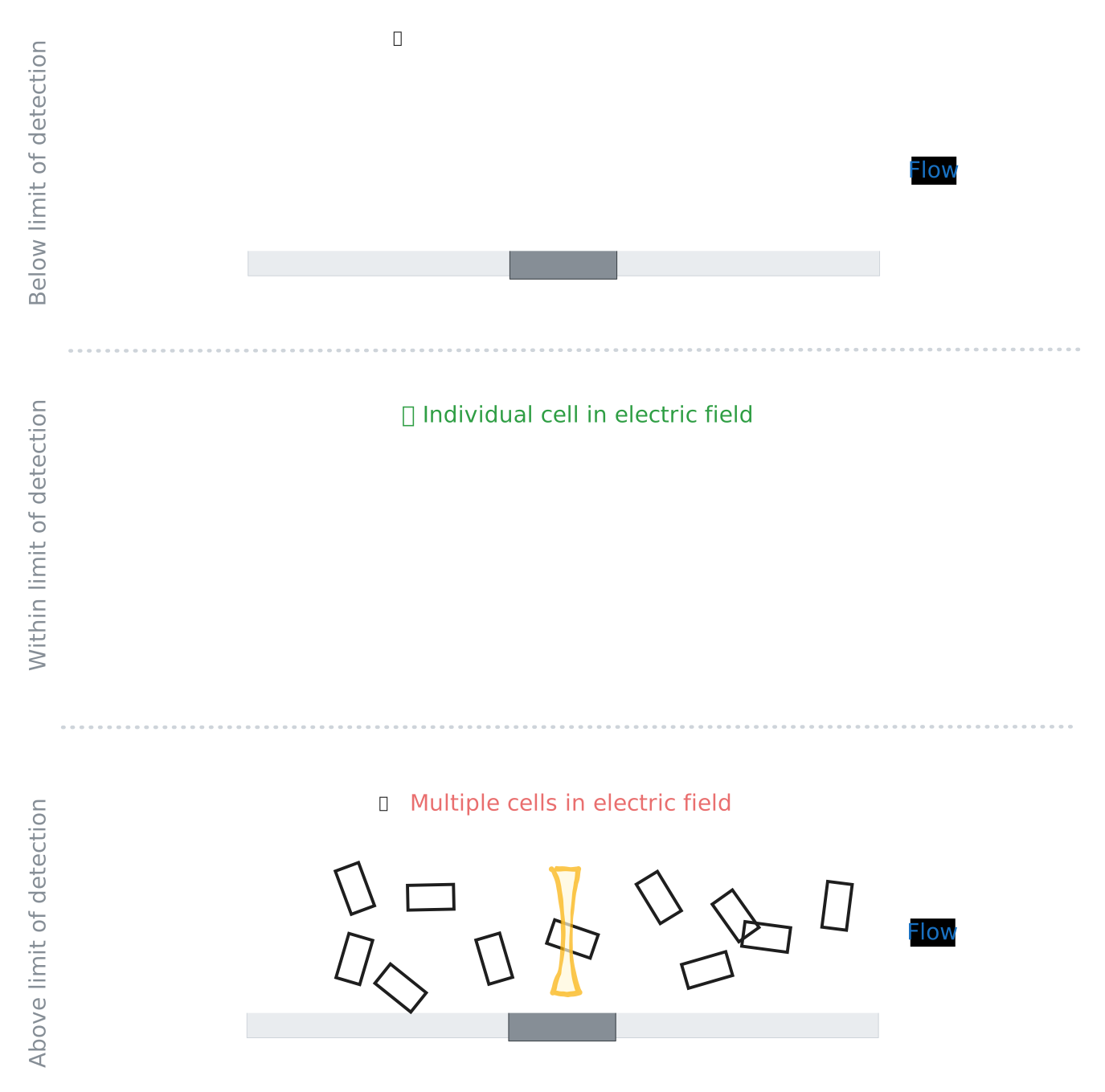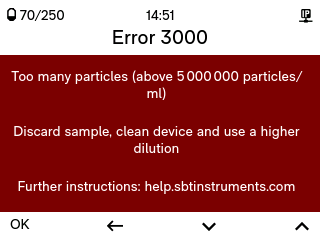
Above the upper limit, BactoBox® shows Error 3000 instead of a result.
 {% hint style="info" %}
## Don't know the concentration of your sample?
Make a dilution series and [**measure the most diluted sample first**](/advanced/advanced-sample-preparation/hit-the-right-concentration/dilute-1-100.md#measure-the-most-diluted-sample-first). This avoids clogging your BactoBox® setup. It also avoids carry-over from your previous sample vial.
Once you are above the lower limit of detection (30 000 cells/mL), target 0.5–4 million cells/mL.
{% endhint %}
## Above the upper limit
Cross the upper limit and BactoBox® can no longer tell the particles apart, so it stops with an error instead of a result. A concentration above 5 000 000 particles/ml also risks clogging the flow cell.
{% hint style="info" %}
## Don't know the concentration of your sample?
Make a dilution series and [**measure the most diluted sample first**](/advanced/advanced-sample-preparation/hit-the-right-concentration/dilute-1-100.md#measure-the-most-diluted-sample-first). This avoids clogging your BactoBox® setup. It also avoids carry-over from your previous sample vial.
Once you are above the lower limit of detection (30 000 cells/mL), target 0.5–4 million cells/mL.
{% endhint %}
## Above the upper limit
Cross the upper limit and BactoBox® can no longer tell the particles apart, so it stops with an error instead of a result. A concentration above 5 000 000 particles/ml also risks clogging the flow cell.
Above the upper limit, BactoBox® shows Error 3000 instead of a result.