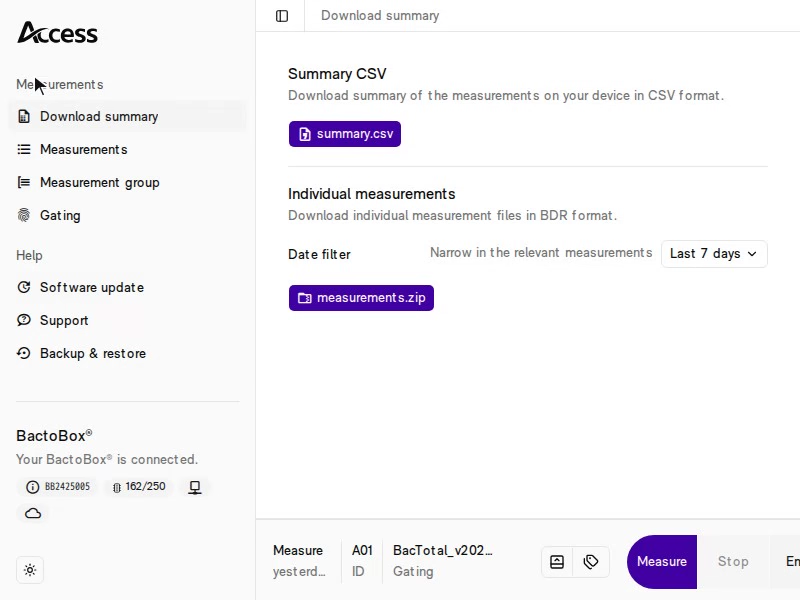
From v2026.06: Software update → Latest → Install latest.
space.vars.SW\_LATEST\_RELEASED\_VER
Keep your BactoBox® software up to date. Follow [update BactoBox® software](/best-practices/update-bactobox-r-software.md).
See what [changed in space.vars.SW\_LATEST\_RELEASED\_VER](/software/bactobox-r-software-changelog.md) and the [software update FAQ](/software/miscellaneous/software-update-faq.md).
{% endhint %}
## Quick clip :zap:
From software **v2026.06**, Access fetches and installs the **latest software from the cloud** in one click. On earlier software this option is not available yet, so you install a specific **`.swu` file** instead (the steps below). That also brings you up to a version that has the cloud option.
{% columns %}
{% column %}
From v2026.06: Software update → Latest → Install latest.

Before v2026.06: install a specific .swu file, as shown in the steps below.

Access with the Software update page open.
 {% endstep %}
{% step %}
#### That is it!
When the installation is done, your BactoBox® prompts you to restart the device.
On the first start after a software update, you may see a data migration phase. This can take another 5–10 min. Once migration is done, your BactoBox® shows the *Ready* screen as usual.
{% hint style="danger" %}
### Ran into trouble?
See [Can not connect to Access](/troubleshooting/power-on-works-but.../can-not-connect-to-access.md) for guidance.
{% endhint %}
{% endstep %}
{% endstepper %}
---
# Agent Instructions
This documentation is published with GitBook. GitBook is the documentation platform designed so that both humans and AI agents can read, navigate, and reason over technical content effectively. Learn more at gitbook.com.
## Querying This Documentation
If you need additional information that is not directly available in this page, you can query the documentation dynamically by asking a question.
Perform an HTTP GET request on the current page URL with the `ask` query parameter, and the optional `goal` query parameter:
```
GET https://help.sbtinstruments.com/best-practices/update-bactobox-r-software.md?ask=
{% endstep %}
{% step %}
#### That is it!
When the installation is done, your BactoBox® prompts you to restart the device.
On the first start after a software update, you may see a data migration phase. This can take another 5–10 min. Once migration is done, your BactoBox® shows the *Ready* screen as usual.
{% hint style="danger" %}
### Ran into trouble?
See [Can not connect to Access](/troubleshooting/power-on-works-but.../can-not-connect-to-access.md) for guidance.
{% endhint %}
{% endstep %}
{% endstepper %}
---
# Agent Instructions
This documentation is published with GitBook. GitBook is the documentation platform designed so that both humans and AI agents can read, navigate, and reason over technical content effectively. Learn more at gitbook.com.
## Querying This Documentation
If you need additional information that is not directly available in this page, you can query the documentation dynamically by asking a question.
Perform an HTTP GET request on the current page URL with the `ask` query parameter, and the optional `goal` query parameter:
```
GET https://help.sbtinstruments.com/best-practices/update-bactobox-r-software.md?ask=