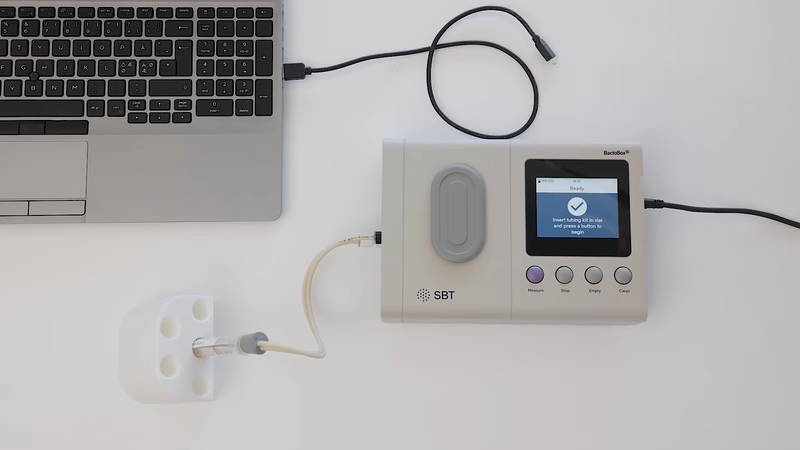
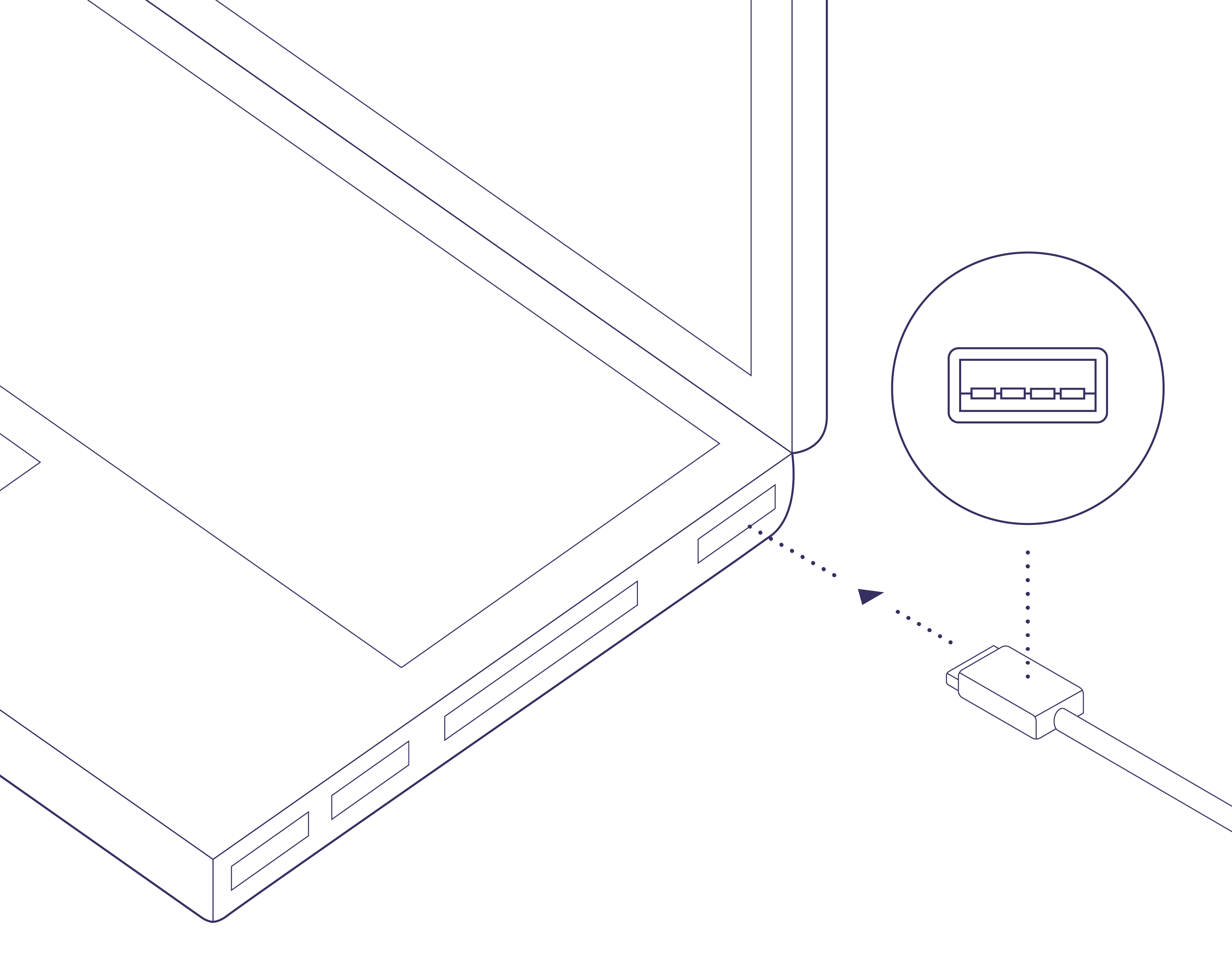
 . Use an adapter if your computer has only USB-C.
* The [USB cable](/item-register/bactobox-r/bactobox-r/in-the-box/usb-cable.md) supplied with your BactoBox®.
On software older than v2026.09, Access works only on Windows. Use a Windows computer to update first. See [Update BactoBox® software](/more/software/update-bactobox-r-software.md).
## Step by step
{% stepper %}
{% step %}
#### Connect the cable to your BactoBox®
{% hint style="warning" %}
Wait until your BactoBox® shows the *Ready* screen. Connecting during a measurement may disrupt it.
{% endhint %}
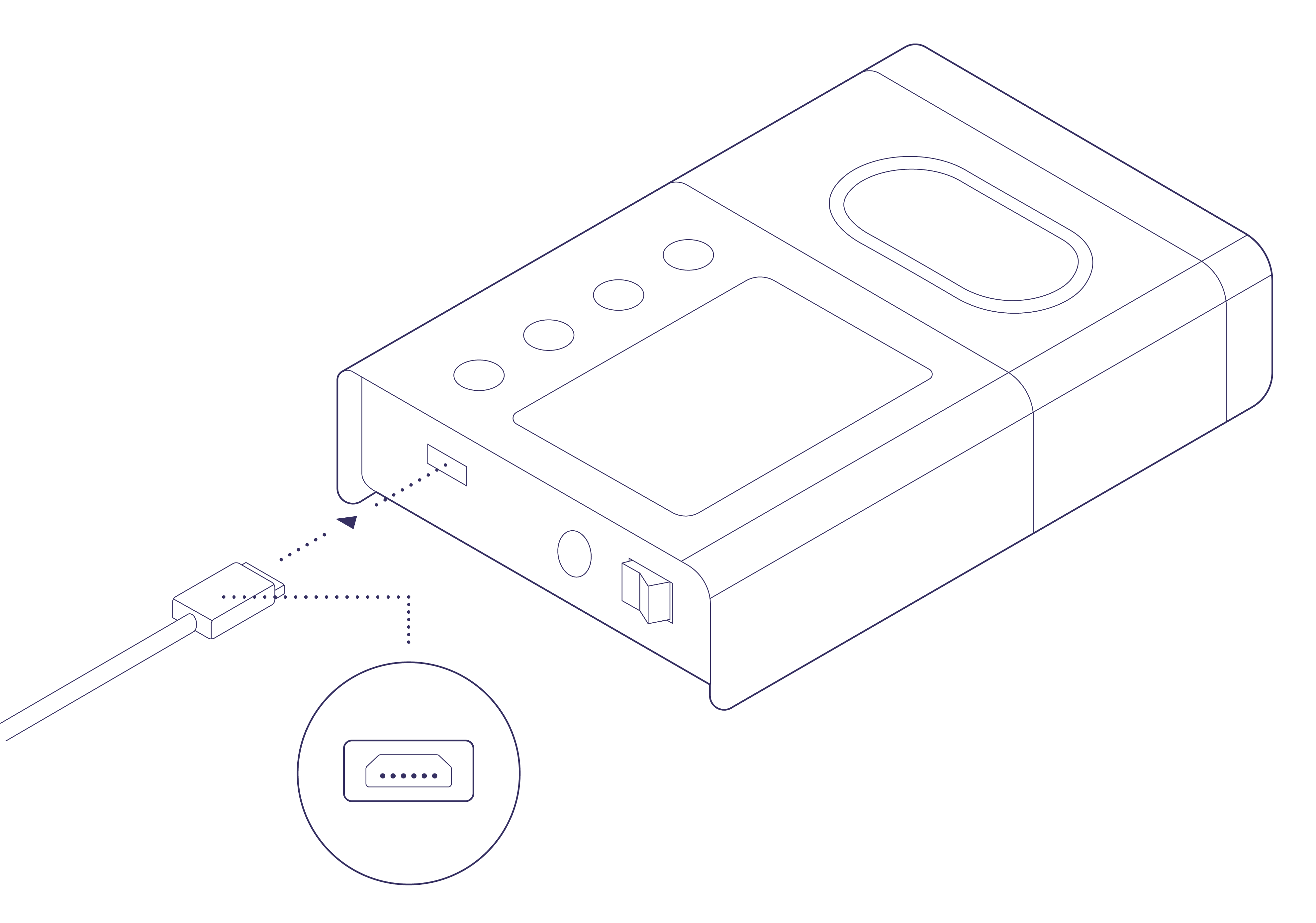
Insert the micro-B end of the USB cable into the port on the side of your BactoBox®.
. Use an adapter if your computer has only USB-C.
* The [USB cable](/item-register/bactobox-r/bactobox-r/in-the-box/usb-cable.md) supplied with your BactoBox®.
On software older than v2026.09, Access works only on Windows. Use a Windows computer to update first. See [Update BactoBox® software](/more/software/update-bactobox-r-software.md).
## Step by step
{% stepper %}
{% step %}
#### Connect the cable to your BactoBox®
{% hint style="warning" %}
Wait until your BactoBox® shows the *Ready* screen. Connecting during a measurement may disrupt it.
{% endhint %}
Insert the micro-B end of the USB cable into the port on the side of your BactoBox®.

File browser that shows BactoBox® files

The Software update page in Access.