> For the complete documentation index, see [llms.txt](https://help.sbtinstruments.com/llms.txt). Markdown versions of documentation pages are available by appending `.md` to page URLs; this page is available as [Markdown](https://help.sbtinstruments.com/mpd/workflows/track-growth-curve.md).
# Track growth curve
MPD-7. Visualize growth curves in real-time with BactoBox®.
| Skill level | Time to complete (E. coli) | Hands-on time | Requirements |
| -------------------------------------- | ----------------------------------------------- | ----------------------------------------------- | -------------------------------------------------------------------------------------------------------------------------------------------------------------------- |
| :school\_satchel: No skill requirement | :hourglass: 8 hours | :stopwatch: 4 hours | :hard-drive: [7.6a](/item-register/bactobox-r/bactobox-r-hardware-changelog.md) :floppy-disk: ≥ v2026.02a |
Access lets you instantly add metadata about your sample. With the computer as input device, you can interact with familiar BactoBox® buttons on your screen. Growth curves are generated with ease when you add information on dilution factors and sampling time.
In this step-by-step example we will demonstrate how to track growth curves. We'll use a straightforward example with *E. coli* in a shake flask. At 37 °C, *E. coli* has a generation time, g, of \~20 min in LB medium. We will sample at g x 1.5, that is a sample for every 30 min.
Notice that you will collect samples every 30 minutes for \~8 hours. This requires that you set aside a full lab day for the experiment if you are working with *E. coli*. Understanding the lag phase duration, growth rates, and carrying capacity can significantly enhance your fermentation process design. Trust us; it will be worth it!
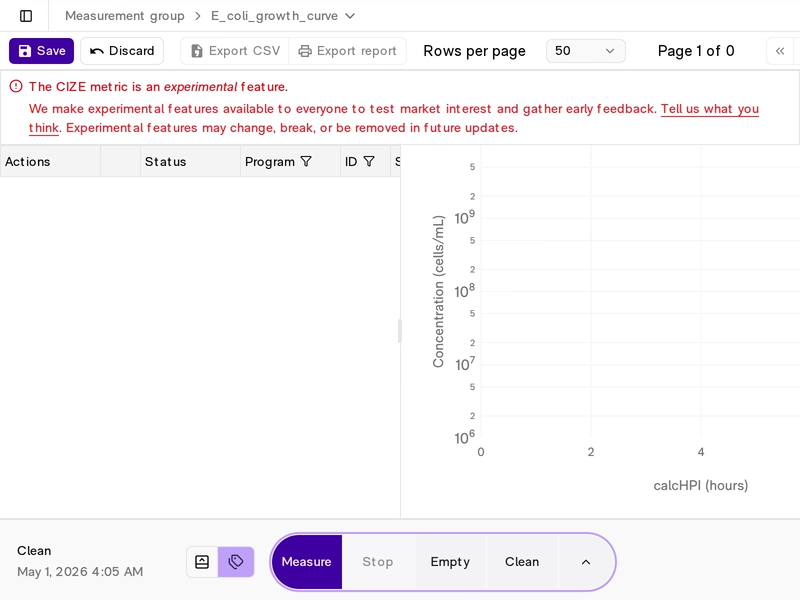
Here’s how the results will appear after measurements are completed.
The overall steps are shown below. Click the links to jump to the relevant section.
1. [Get things ready](/mpd/workflows/track-growth-curve/get-things-ready.md)
2. [Create measurement group](/mpd/workflows/track-growth-curve/create-measurement-group.md)
3. [Check growth medium](/mpd/workflows/track-growth-curve/check-growth-medium.md)
4. [Measure starter culture](/mpd/workflows/track-growth-curve/measure-starter-culture.md)
5. [Inoculate](/mpd/workflows/track-growth-curve/inoculate.md)
6. [1:100 dilution after inoculation](/mpd/workflows/track-growth-curve/1-100-dilution-post-inoculation.md)
7. [1:100 dilutions](/mpd/workflows/track-growth-curve/1-100-dilutions.md)
8. [1:10 000 dilutions](/mpd/workflows/track-growth-curve/1-10-000-dilutions.md)
9. [Conclude growth curve](/mpd/workflows/track-growth-curve/conclude-growth-curve.md)
---
# Agent Instructions
This documentation is published with GitBook. GitBook is the documentation platform designed so that both humans and AI agents can read, navigate, and reason over technical content effectively. Learn more at gitbook.com.
## Querying This Documentation
If you need additional information that is not directly available in this page, you can query the documentation dynamically by asking a question.
Perform an HTTP GET request on the current page URL with the `ask` query parameter, and the optional `goal` query parameter:
```
GET https://help.sbtinstruments.com/mpd/workflows/track-growth-curve.md?ask=&goal=
```
`ask` is the immediate question: it should be specific, self-contained, and written in natural language.
`goal` is optional and describes the broader end goal you are ultimately trying to accomplish on behalf of the user. GitBook uses it to tailor the answer towards what is most useful for that goal.
The response will contain a direct answer to the question and relevant excerpts and sources from the documentation.
Use this mechanism when the answer is not explicitly present in the current page, you need clarification or additional context, or you want to retrieve related documentation sections.