Measurement group
Group measurements together for analytics, plotting, and reporting.
When we group measurements together, we reveal trends in the data. If a single measurement is like a still frame, a group of measurements is the complete film.
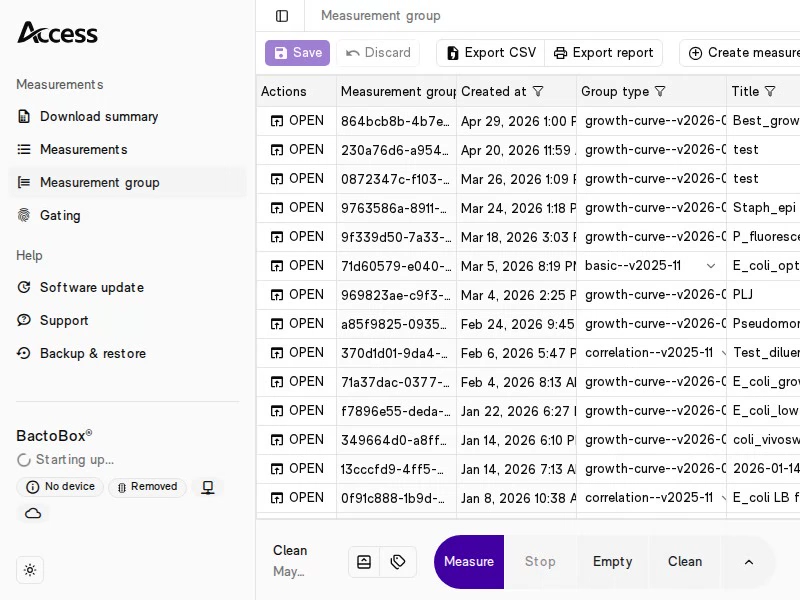
Just like the Measurements page, we present measurement groups as a spreadsheet.

Create measurement group
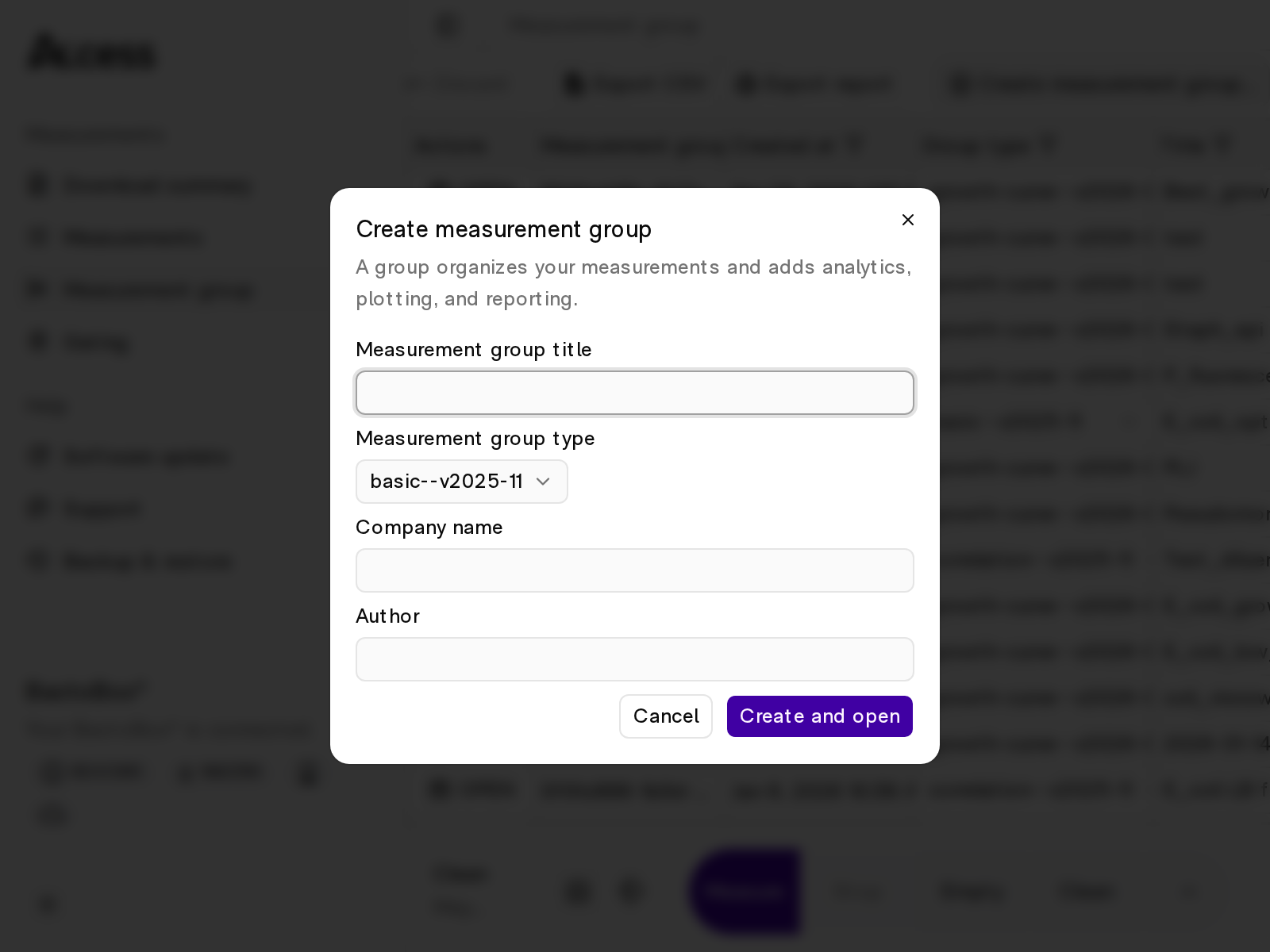
Press the Create measurement group... button to open the dialog (see image below). Fill in the fields and press the Create button.

The Measurement group name can be anything. E.g., the name of your experiment or the name of your current batch.
There are three Measurement group types:
Linear regression for CFU-vs-BactoBox® data set
Growth curve, CFU-vs-BactoBox®
PDF report
Both Company name and Author are optional.
Change the group type
You can change a group's type after you create it. There is no need to make a new group.
Open the Group type dropdown in the group's row. Pick the new type. Then press Save.

Open measurement group
Click the Open button in the leftmost column. This changes the view to a spreadsheet of all executions in the measurement group.
This looks similar to the Measurements page, but with columns specific to the group type.
When a group is open, the Measure button opens with the group already selected. This makes it easy to start the Measure program and add it to the group as a single action. See the quick clip below for an example.

Input columns
When you open a measurement group, the following columns are editable:
Label
Grouping key for plots and reports.
Species name, bioreactor name, experiment name, etc.
Dilution
Dilution factor used for the sample.
1000 for a 1:1000 dilution.
Sampled at
Timestamp for when the sample was taken.
Bioreactor, shake flask, etc.
HPI
Hours post-inoculation.
Manual time axis input.
calcHPI
Calculated hours post-inoculation.
Auto time axis when HPI is missing. See how calcHPI is calculated.
Notes
Free-text metadata.
Comments, deviations, etc.
How calcHPI is calculated
If HPI is available, calcHPI = HPI.
If HPI is missing, but Sampled at is available, we calculate calcHPI from the first measurement for the same Label.
If both HPI and Sampled at are missing, calcHPI is empty.
Remember to press Save to persist your changes.
Last updated
Was this helpful?