> For the complete documentation index, see [llms.txt](https://help.sbtinstruments.com/llms.txt). Markdown versions of documentation pages are available by appending `.md` to page URLs; this page is available as [Markdown](https://help.sbtinstruments.com/troubleshooting/power-on-fails.md).
# Power on fails
BactoBox® does not power on
## Before you move on
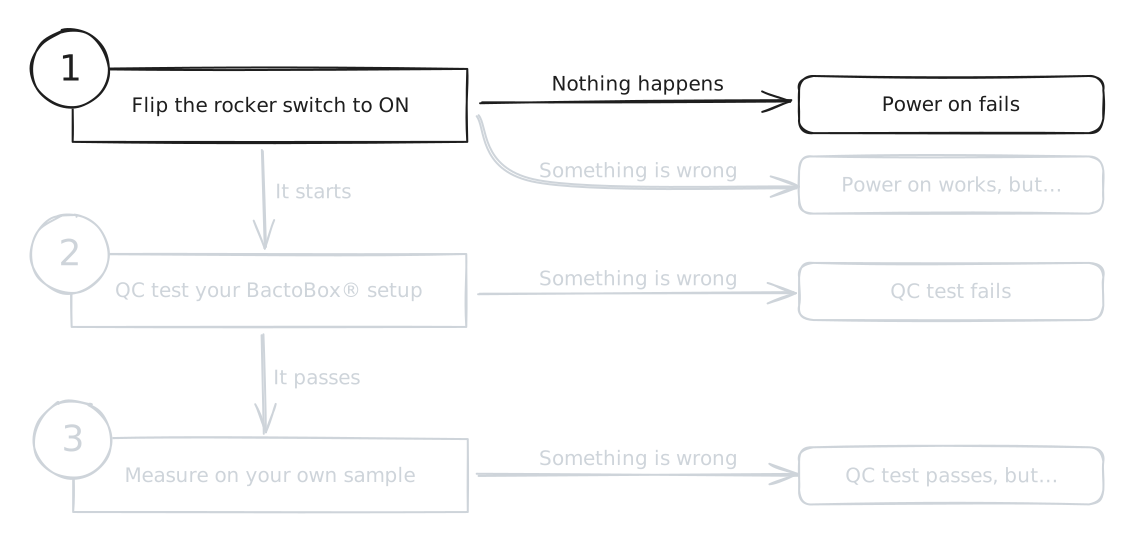
You are here because your BactoBox® fails to [power on](/getting-started/installation/power-on.md). In other words, the display doesn't even show the SBT logo.
Is this not the case? Then let's take a step back. Is your BactoBox® stuck at the SBT logo? Does your BactoBox® suddenly power off?
See also [Troubleshooting](/troubleshooting/readme.md).
## The BactoBox® power indicator does not light up
You flip the rocker switch to the *On* position but the the BactoBox® power indicator does not light up.
{% hint style="info" %}
## BactoBox® power indicator
The BactoBox® power indicator is the green LED (*H* in the image below) right next to the power plug (*I* in the image below).
{% endhint %}
Follow these steps in sequence:
{% stepper %}
{% step %}
#### Check power cable in BactoBox®
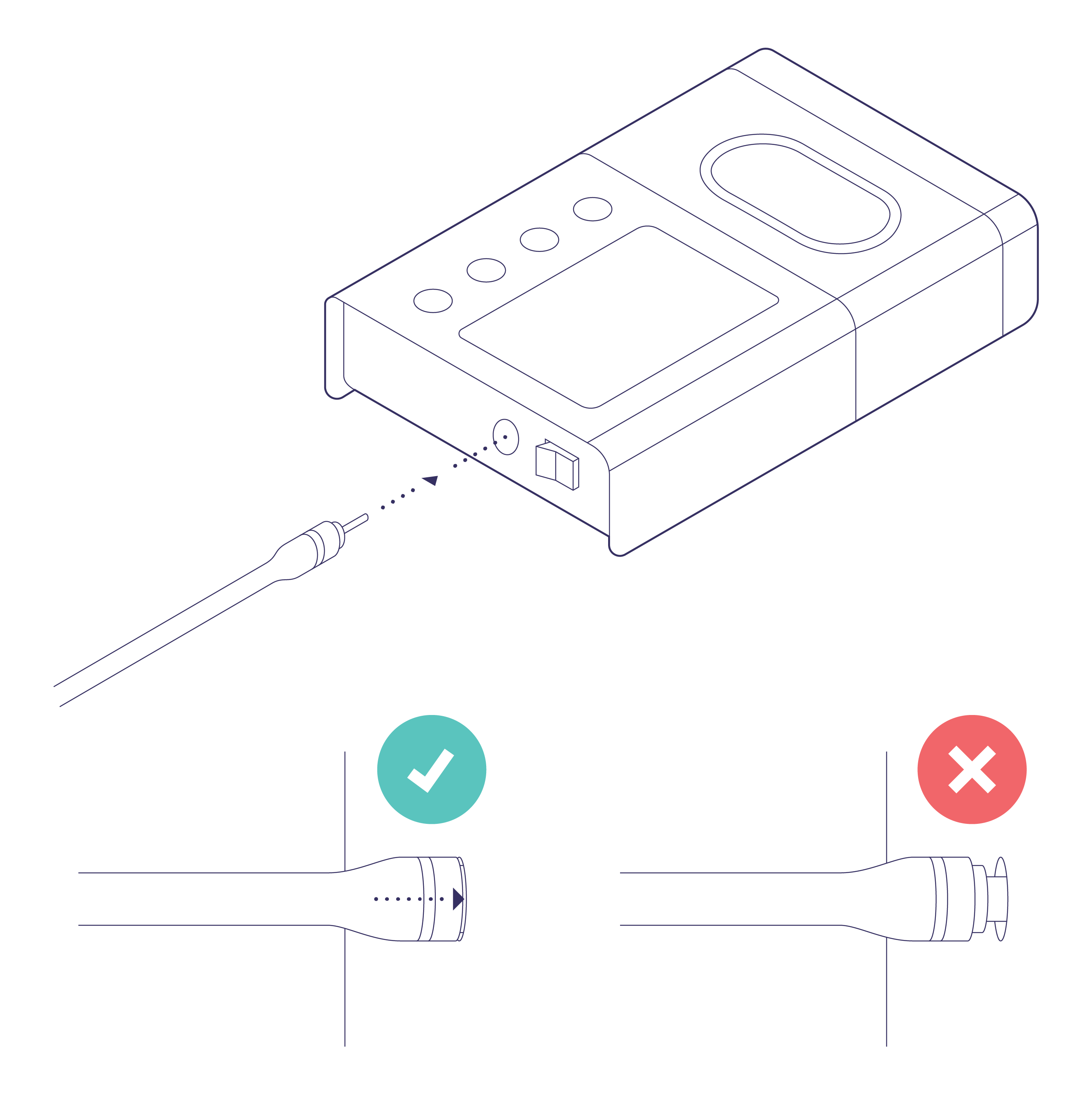
Check that the power cable is *fully* inserted into BactoBox® (see image below).
{% endstep %}
{% step %}
#### Check wall socket
Ensure that the power supply is fully inserted into the wall socket. Ensure that the wall socket is turned on.
{% endstep %}
{% step %}
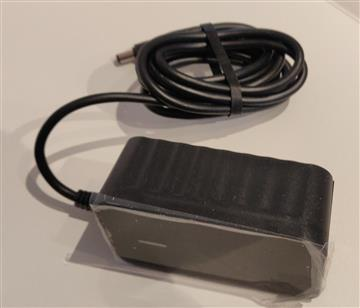
#### Check the [power supply](/item-register/bactobox-r/bactobox-r/in-the-box/power-supply.md)
The power supply itself also has a power indicator (green LED on the top). Does the power supply's power indicator light up? If not, then this indicates a problem with your power supply.
**You need a new power supply.** [Contact our support team](/troubleshooting/contact-our-support-team/contact-our-support-team.md) to discuss the matter further.
Power supply
{% endstep %}
{% endstepper %}
## The BactoBox® power indicator turns on but the display is dark
You flip the rocker switch to the *On* position, the BactoBox® power indicator lights up, but then nothing more happens. Specifically, there is no SBT logo on the display.
This is a hardware issue with your BactoBox® setup. [Contact our support team](/troubleshooting/contact-our-support-team/contact-our-support-team.md) to discuss the matter further. Make sure to mention it if you found:
* A leak inside the flow cell compartment
* Sign of corrosion or deterioration inside the flow cell department
* Broken or loose inlet/outlet (where you connect the tubing kit to your BactoBox®)
* Rattling or loose components
* In general, hardware damage of any kind
If possible, include pictures of the problem. This helps us help you faster!
---
# Agent Instructions
This documentation is published with GitBook. GitBook is the documentation platform designed so that both humans and AI agents can read, navigate, and reason over technical content effectively. Learn more at gitbook.com.
## Querying This Documentation
If you need additional information that is not directly available in this page, you can query the documentation dynamically by asking a question.
Perform an HTTP GET request on the current page URL with the `ask` query parameter, and the optional `goal` query parameter:
```
GET https://help.sbtinstruments.com/troubleshooting/power-on-fails.md?ask=&goal=
```
`ask` is the immediate question: it should be specific, self-contained, and written in natural language.
`goal` is optional and describes the broader end goal you are ultimately trying to accomplish on behalf of the user. GitBook uses it to tailor the answer towards what is most useful for that goal.
The response will contain a direct answer to the question and relevant excerpts and sources from the documentation.
Use this mechanism when the answer is not explicitly present in the current page, you need clarification or additional context, or you want to retrieve related documentation sections.
 ## The BactoBox® power indicator does not light up
You flip the rocker switch to the *On* position but the the BactoBox® power indicator does not light up.
{% hint style="info" %}
## BactoBox® power indicator
The BactoBox® power indicator is the green LED (*H* in the image below) right next to the power plug (*I* in the image below).
## The BactoBox® power indicator does not light up
You flip the rocker switch to the *On* position but the the BactoBox® power indicator does not light up.
{% hint style="info" %}
## BactoBox® power indicator
The BactoBox® power indicator is the green LED (*H* in the image below) right next to the power plug (*I* in the image below).
 {% endhint %}
Follow these steps in sequence:
{% stepper %}
{% step %}
#### Check power cable in BactoBox®
Check that the power cable is *fully* inserted into BactoBox® (see image below).
{% endhint %}
Follow these steps in sequence:
{% stepper %}
{% step %}
#### Check power cable in BactoBox®
Check that the power cable is *fully* inserted into BactoBox® (see image below).