# Software update failed

## Before you move on

You are here because you tried to [update the BactoBox® software](https://help.sbtinstruments.com/getting-started/best-practices/update-bactobox-r-software) but something went wrong.

Is this not the case? Then let's take a step back. [Does your BactoBox® not power on](https://help.sbtinstruments.com/troubleshooting/power-on-fails)? [Does the *QC test* program give errors](https://help.sbtinstruments.com/troubleshooting/qualification-fails/i-get-error-40xx)?

See also [bactobox-r-acting-up](https://help.sbtinstruments.com/troubleshooting/bactobox-r-acting-up "mention").

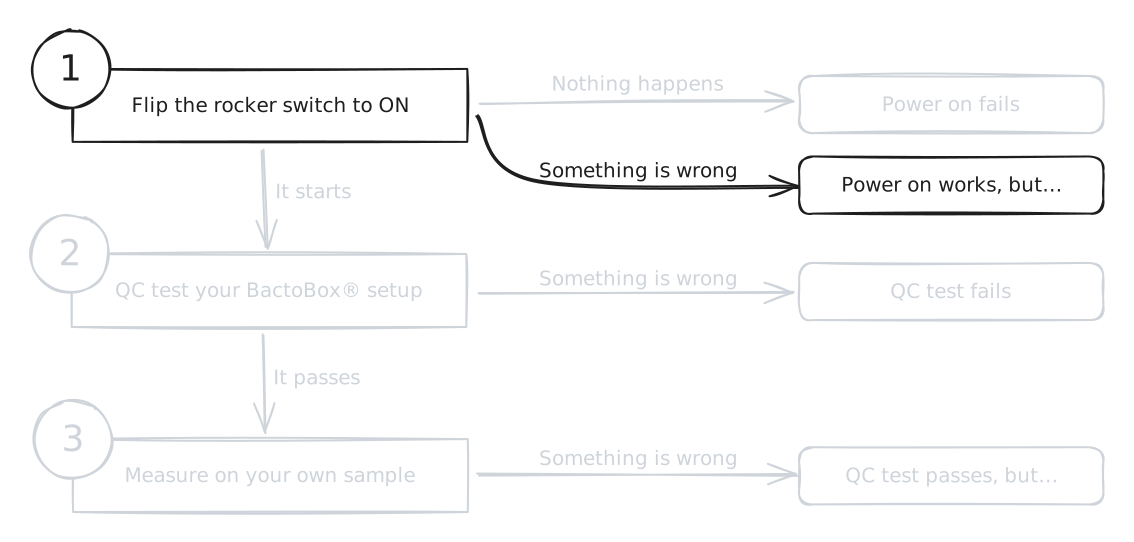
<figure><img src="https://4216107837-files.gitbook.io/~/files/v0/b/gitbook-x-prod.appspot.com/o/spaces%2FeYTtd7c0A325muFr5lMW%2Fuploads%2FaOMFhlhOTySUUy0q0unD%2Ftroubleshooting-step-2.excalidraw.svg?alt=media&#x26;token=7b86c0f2-5412-437b-9c8b-216e45206d81" alt=""><figcaption></figcaption></figure>

## It says *update failed*

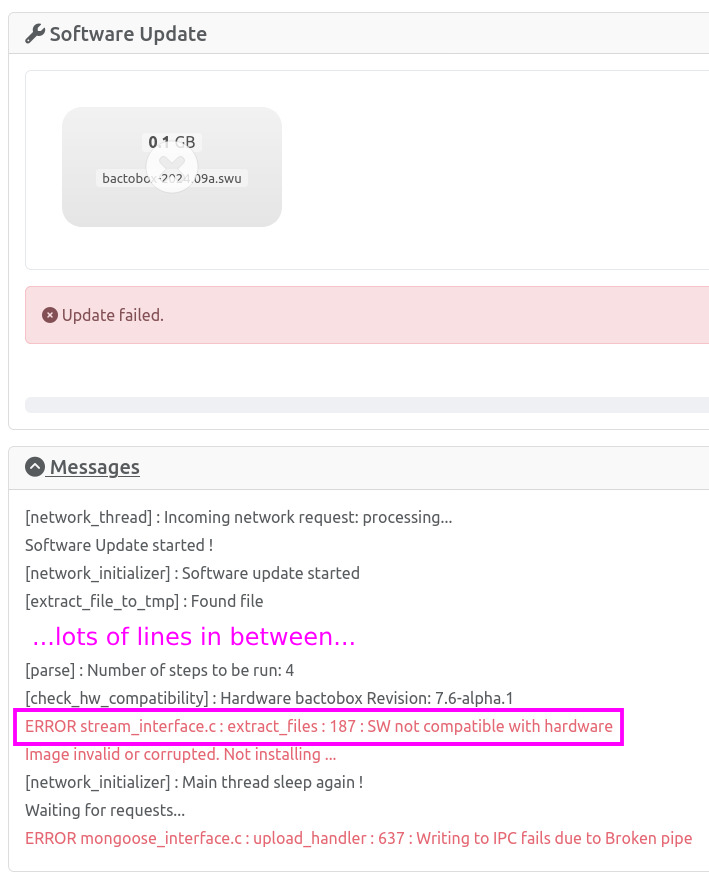
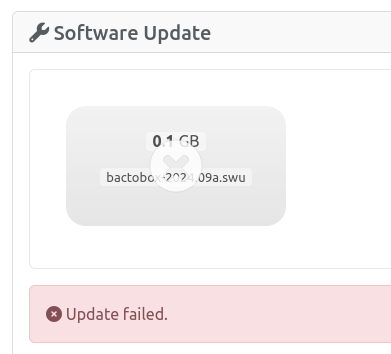
You get a message that looks like this image:

<figure><img src="https://4216107837-files.gitbook.io/~/files/v0/b/gitbook-x-prod.appspot.com/o/spaces%2FeYTtd7c0A325muFr5lMW%2Fuploads%2FguBSjPwKjjNhjymP6Xkz%2Fimage.png?alt=media&#x26;token=804a1248-ec23-4b04-a24a-cb08ea2dc796" alt=""><figcaption><p>What it looks like when a software update fails.</p></figcaption></figure>

This doesn't say much on its own. Just below, however, there is a *Messages* field. Click on the *Messages* field to expand it like so:

<figure><img src="https://4216107837-files.gitbook.io/~/files/v0/b/gitbook-x-prod.appspot.com/o/spaces%2FeYTtd7c0A325muFr5lMW%2Fuploads%2FxxdUHIIVKlCDKR5bIHHt%2Fimage.psd.png?alt=media&#x26;token=279c394b-477d-42e6-8720-24a8ade06712" alt=""><figcaption><p><em>Messages</em> field. We omit the irrelevant lines of text. We highlight the relevant error message with a purple box.</p></figcaption></figure>

Find the lines that start with <mark style="color:red;">ERROR</mark>. This will tell you what is wrong. There may be multiple <mark style="color:red;">ERROR</mark> lines. Then, look up the error message in the sections below.

## SW not compatible with hardware

**The software update file is not meant for your version of BactoBox®.** Note that *very* old versions of BactoBox® don't receive software updates anymore.

Find the latest software update file for your hardware version here: [update-bactobox-r-software](https://help.sbtinstruments.com/getting-started/best-practices/update-bactobox-r-software "mention"). Make sure that you select the right hardware version first!

## CPIO Format not recognized

**The software update file is in the wrong format.**

Make sure that you use a SWUpdate file (has the `.swu` extension). Find the latest software update file here: [update-bactobox-r-software](https://help.sbtinstruments.com/getting-started/best-practices/update-bactobox-r-software "mention").

## Checksum WRONG !

Usually followed by something like `Computed 0xf3e09ee1, it should be 0xf3e09f86` .

**The SWUpdate file is malformed.** This sometimes happen during a file transfer.

Download the software update file again. Then, try to update the device using the new file.